 You came up with a great idea, figured out your niche, hired
developers and designers, and created your mobile app. However, the
development and implementation are only half the battle. The next step
is to market your mobile app correctly. Otherwise, it will get lost
among all of the other apps available for users to download on their
smartphones.
You came up with a great idea, figured out your niche, hired
developers and designers, and created your mobile app. However, the
development and implementation are only half the battle. The next step
is to market your mobile app correctly. Otherwise, it will get lost
among all of the other apps available for users to download on their
smartphones.Every developer dreams of experiencing the same kind of success as apps like Angry Birds, Waze, Instagram, and Snapchat. A huge part of the success of those companies, besides their development, was their marketing strategy.
Here are 10 tips for how you can market your mobile app:
1. Be as Descriptive as Possible
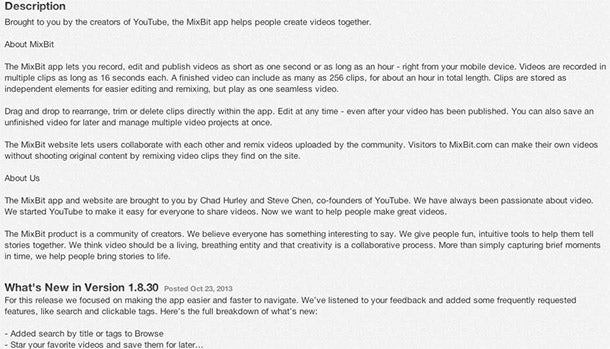 Let’s start with the basics – the app’s description. A user should know, from thefirst sentence of the description, what your app does, and feel compelled to click the “more” button in order to keep reading.
The first line of your description should be direct and showcase the power of your app. You don’t need to squeeze in everything, but you should make the reader want to click. If you have industry credentials or have produced a killer app before, mention that up top; for example, “Brought to you by the creators of YouTube, the MixBit app helps people create videos together.”
After users hit the “more” button, make sure to spell out the possibilities and go into as much detail as you can about your app. Use bullet points so that the information is organized and easy to read. Include free or extra features that users can take advantage of, as well as other devices that the app is available on.
Emphasize what makes it different from an older version of your app or from other apps, and give some background about your company. If your app has gotten positive feedback from big blogs or news outlets, mention what they said. If you need inspiration, look at the back cover of a popular book. You’ll see that it includes the book’s description, along with short reviews from reliable sources and industry experts.
2. Pick the Best Keywords
Keywords, like the description, will let users know exactly what your app is aboutand entice them to buy or download it. Brainstorm with your team and come up with all the keyword possibilities for it. Don’t put your company name or app namein your list of keywords since they already can be searched within a marketplace.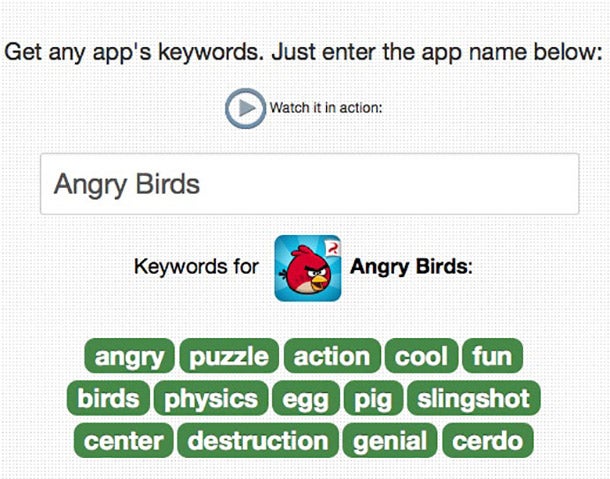 Use keywords that are less common (to decrease competition in search
results) by searching for popular ones in the app stores. If your app
can be used in more than one language, include keywords in those
languages as well.
Use keywords that are less common (to decrease competition in search
results) by searching for popular ones in the app stores. If your app
can be used in more than one language, include keywords in those
languages as well.Need some help finding the best keywords? There are tools like SensorTower, AppCod.es, Google’s AdWords, and App Store Optimization by MobileDevHQ that will help you figure that out. Though you have to pay for a lot of these services, MobileDevHQ offers an “indie” plan for part-time developers with one app who want to do keyword research. However, you’ll have to pay at least $350 to find the competitive keywords.
3. Invest in Stellar Graphics
When it comes to technology and the Internet, people are mostly visual. They go to whatever stands out and catches their eye. Graphics, like the first line of your description, have to be compelling.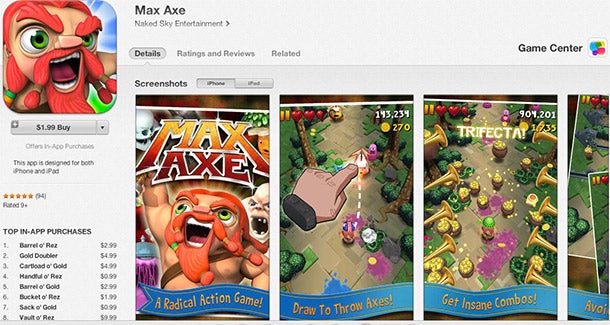 Since colors influence moods,
make sure that the colors you use align with the mood you want your app
to capture. It’s no accident that the angry birds are red.
Since colors influence moods,
make sure that the colors you use align with the mood you want your app
to capture. It’s no accident that the angry birds are red.Your graphics should be original and draw users in by being aesthetically appealing. If your app is high energy, put out a graphic that shows that. If it’s meant to be calming, use the color blue. Consult with graphic designers to discover the best mood and image that will capture your app’s purpose.
4. Capture Exciting and Descriptive Screenshots
Include screenshots within the app description. Take shots from the most exciting and captivating parts of your app, and show just what the app does. Take up all of the available slots to showcase your screenshots, and don’t let any go to waste.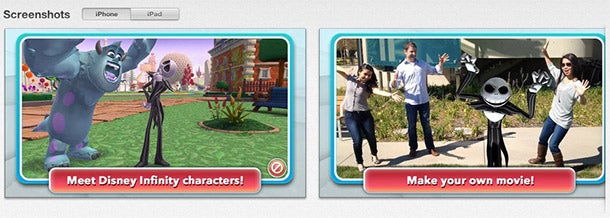 Make sure the shots are high quality, and type up captions and
headlines that help to describe what users are seeing. Display them in
the best order possible. If you’re showing how to go from point A to
point B through your screenshots, it should make logical sense and
appear in that order.
Make sure the shots are high quality, and type up captions and
headlines that help to describe what users are seeing. Display them in
the best order possible. If you’re showing how to go from point A to
point B through your screenshots, it should make logical sense and
appear in that order.When you pitch to journalists and bloggers, send them the screenshots as well. Post the shots anywhere you can: on your website, Facebook page, Twitter background, and video demos.
5. Craft a Solid Pitch and Know Your Angle
When any company launches a new product or releases news, they have to know their angle. It’s what makes them unique and entices a reporter or blogger to cover them. The same thing applies for the announcement of a new app.When emailing a member of the media, write a statement in the subject line that will be of value to the person on the receiving end. Communicate that your app offers a solution to the reader’s problem or satisfies the news outlet’s audience’s wants and needs. Don’t just say, “____ Launched a New App Today!” Make the subject interesting.
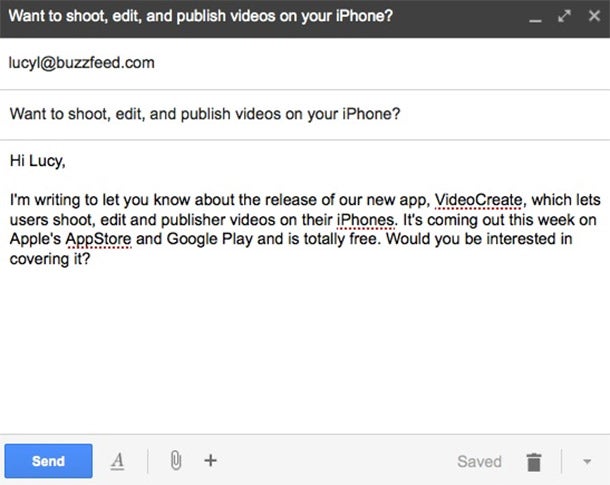 Inside the actual email, keep the pitch short, and be sure that it
relates to the publication or what the reporter has written in the past.
Don’t just pitch to the general editor, who most likely receives dozens
of pitches every day. See who covers launches of apps and,
specifically, the ones in your category.
Inside the actual email, keep the pitch short, and be sure that it
relates to the publication or what the reporter has written in the past.
Don’t just pitch to the general editor, who most likely receives dozens
of pitches every day. See who covers launches of apps and,
specifically, the ones in your category.Make it as easy as possible on the reporter, and offer interviews with your developers and app creators. Put a link to any relevant information, as well as one to your website.
6. Generate Buzz on the Right Media Outlets
After you come up with your pitch, reach out to the correct media outlets. If you want teenagers to use your app, pitch to the blogs they read. Contact editors and reporters at fitness magazines if your app helps people lose weight. Know who thekey influencers are in your app’s field, because they are who your audience will listen to and seek guidance and advice from.If your app is for men ages 18-24, look at the games they play, topics they’re interested in, food they eat, and media they consume. Broaden your horizon and think about more than what your app actually does. Think “if this, then what?” If 18-24 year old men are going to play my app, will they also look at sports and fitness magazines? During a test run of your app, see who responds best to it and target that audience.
7. Advertise Where Your Audience Lives Online
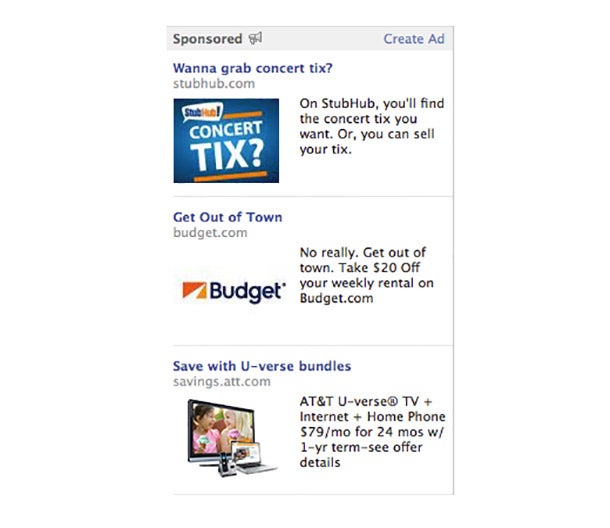 Along with knowing what your audience reads, you need to figure out where they hang out in the digital space.
Take out ads on the websites they visit and interact with them on the
sites they frequent. For example, you could pay for Facebook ads and
identify the distinct audience you want to reach, or hold a Google
Hangout with your app’s creators.
Along with knowing what your audience reads, you need to figure out where they hang out in the digital space.
Take out ads on the websites they visit and interact with them on the
sites they frequent. For example, you could pay for Facebook ads and
identify the distinct audience you want to reach, or hold a Google
Hangout with your app’s creators.Create memes for different Reddit categories. Pay for spoken ads on podcasts. List yourself on an app discovery site like Appolicious. The possibilities are endless, but you have to pinpoint your exact demographic before making a move. Don’t just throw ideas out there or money for ads and see what sticks. Figure out who it is that you want to use your app before you make a move.
8. Engage on Social Media
App users are Internet savvy. When you’re doing your demographics research, try to discover which social media sites your core audience goes on. Through Twitter, you should tweet at your app’s fans, give them promotions and discounts, teach them about the app’s different features, and announce any upcoming news.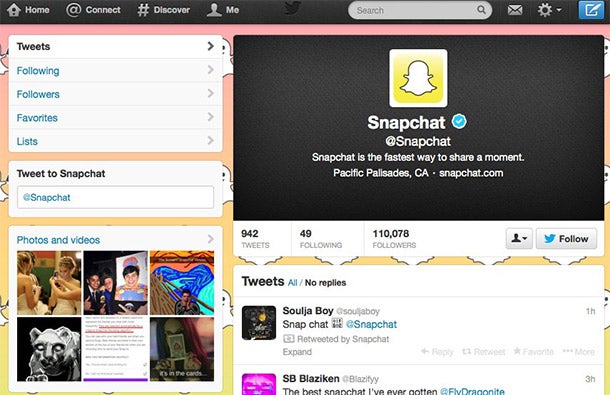 On Facebook, it’s critical that you use images,
since the engagement rate for photos is 37% higher than that for text.
If you’re on Pinterest, pin photos and videos of pertinent categories to
your board. For example, if you launch a cooking app, pin photos of
food, cookbooks, and videos that show baking demonstrations.
On Facebook, it’s critical that you use images,
since the engagement rate for photos is 37% higher than that for text.
If you’re on Pinterest, pin photos and videos of pertinent categories to
your board. For example, if you launch a cooking app, pin photos of
food, cookbooks, and videos that show baking demonstrations.All of your accounts, if possible, should be customized and include a description of your app, company background, a website address, contact information, press, reviews, and any other relevant content
9. Create a Website with Great Content
Your app needs to exist outside of a store or marketplace. You have to make a website that is an extension of your app and shows what it’s about, how to use it, screenshots, and anything else you included in the store. Your website is where you can expand upon store or marketplace information and demonstrate even more features.When people are looking for an app, they are going to turn to Google in addition to an app store. You want to make sure that you rank high for your category by putting great content on your site. Google Panda is now ranking pages with well-written content and credibility as opposed to just looking at SEO keywords.
 Place a blog on your site that contains content that pertains to your
app’s users. Update the blog as frequently as possible, and hire the
best writer you have on your team to run it. Whenever you post, tweet it
out, add a link on Facebook, and email it to your list of subscribers.
Otherwise, it’ll fall on deaf ears.
Place a blog on your site that contains content that pertains to your
app’s users. Update the blog as frequently as possible, and hire the
best writer you have on your team to run it. Whenever you post, tweet it
out, add a link on Facebook, and email it to your list of subscribers.
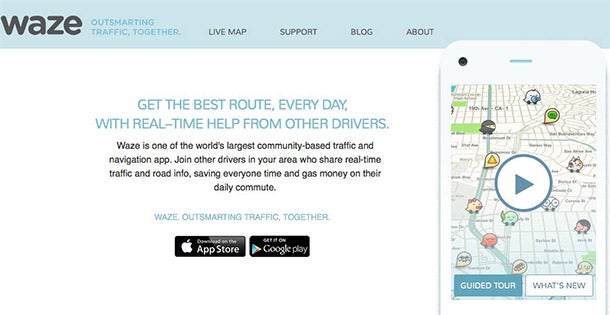
Otherwise, it’ll fall on deaf ears.Waze is an example of an app with an excellent website. Like the app, it’s simple to navigate and minimalist. There are blog posts about company news, meetups, and crowdsourcing, as well as some on new features that help users find cheaper gas prices.
10. Make a How-to Video
Due to the visual nature of the Internet, it’s important that you create a video for YouTube that shows off your app. If people are paying even 99 cents for your app, they may want to watch a how-to or demonstration video before purchasing.In the video, illustrate what your app does with live action shots and screenshots. Since YouTube is the second largest search engine, you want to make sure your app has some clout there. It’ll increase your Google ranking if people are clicking on the video and engaging with it.
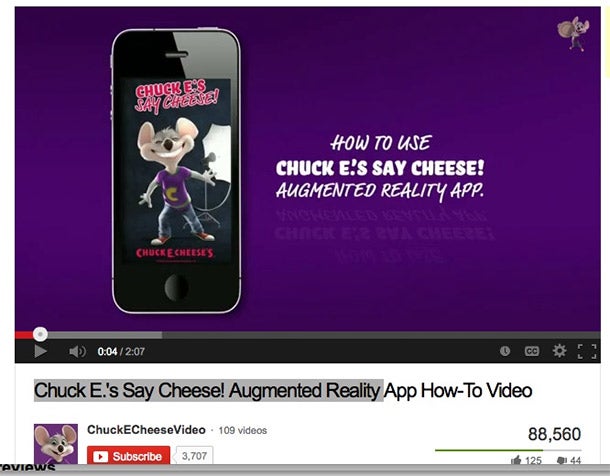 As an added bonus, you can direct that traffic to your website. Fill
out the description and keywords, upload your company’s logo as your
icon, and make a customized page. All of those steps will help with
branding.
As an added bonus, you can direct that traffic to your website. Fill
out the description and keywords, upload your company’s logo as your
icon, and make a customized page. All of those steps will help with
branding.The video should be short and sweet – about three minutes or less – since users typically have a short attention span. Put a call to action at the end for users to download the app in the different marketplaces and go to your website.
Send the video to bloggers and key influencers, post it on your other social media sites, and place it in the blog/about section of your website.
BONUS TIP: Ask for Reviews
After the app is released, ask for feedback from members of the media and your users. Reviews will push you to the top of Google ranking and increase the chatter about your app online.On the app store or marketplace, provide a support email address where customers can ask you questions or address certain issues. Add a “more” section to your app that encourages people to leave reviews and express their opinions.
 Try programs like Apptentive and Appboy, which let you see data about
your reviews, or AskingPoint, which will enable you to send feedback
polls and questions to a specific group of your app’s users.
Try programs like Apptentive and Appboy, which let you see data about
your reviews, or AskingPoint, which will enable you to send feedback
polls and questions to a specific group of your app’s users.Within the app, you also should ask for a positive review about 10 days or so after a user has downloaded it. Persuade them, if they like the app, to give you feedback, but also give them an option to stop the notification from popping up. The worst thing you can do is get on your user’s nerves or be too pushy.
When people do give you feedback, listen and reply to them. Engage in conversation and figure out how to solve your app’s issues. Customer service is key and will only help your marketing strategy.By implementing these 10 tips, you’ll be able to stand out in a saturated app market and reach your core demographic of users.


